STEP 1 — IMPORT — .FIT — 25 M POOL
Open the session.
Connect Garmin and pick an activity, or drop a .fit file in from Files. Everything runs on your device. No account, no server.
Lengths 40 · 33:58 · 25 m

The problem
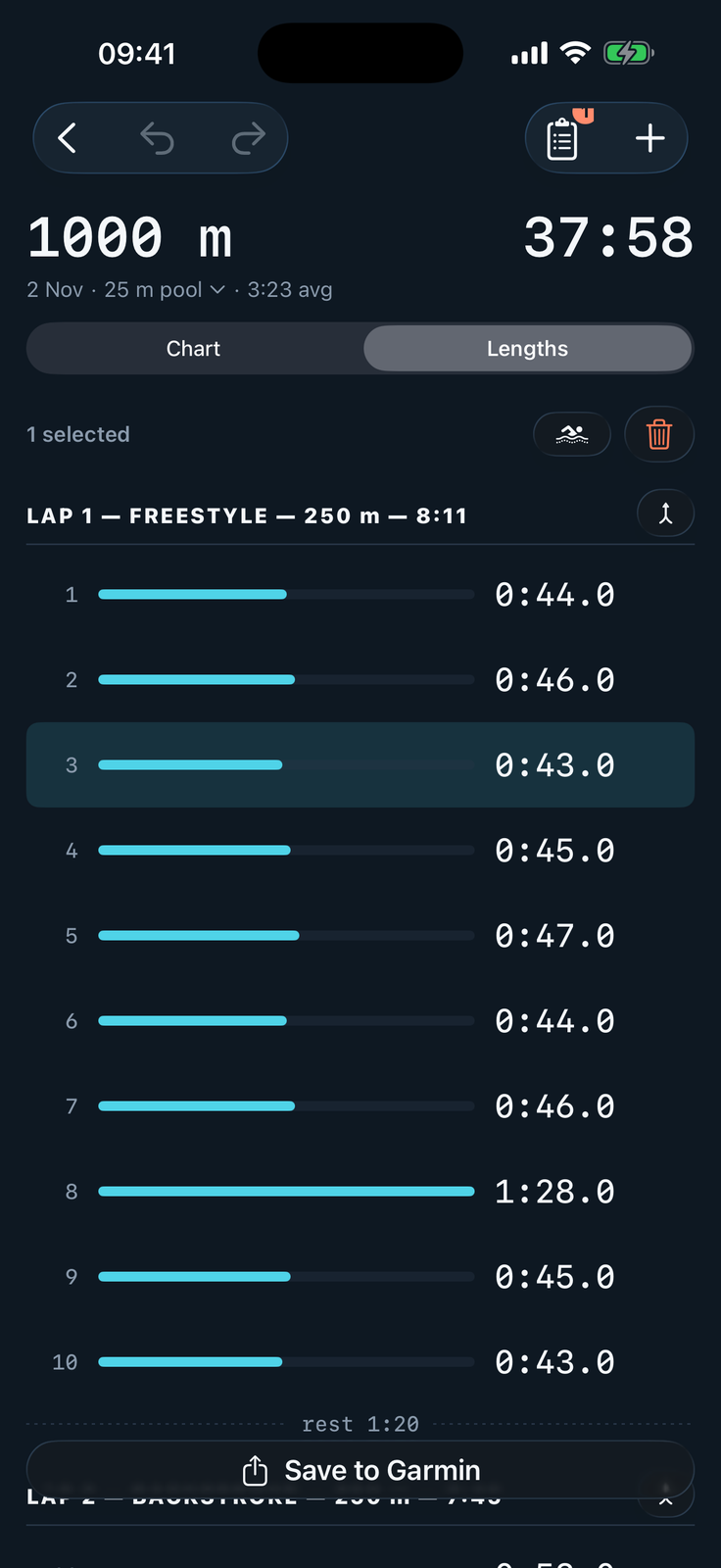
One missed turn and a 1 000 m set reads as 1 025. The pace graph is wrong. The SWOLF is wrong. The weekly volume is wrong. SwimFix reads the .fit file, lets you split, merge or delete the bad lengths, and saves the corrected session back to Garmin Connect.
How it works
STEP 1 — IMPORT — .FIT — 25 M POOL
Connect Garmin and pick an activity, or drop a .fit file in from Files. Everything runs on your device. No account, no server.
Lengths 40 · 33:58 · 25 m
STEP 2 — EDIT — CHART / LENGTHS
Flagged bars show up in coral with a plain-English callout. Split a long length into two, merge two short ones, delete a watch glitch. Every edit is undoable.
Flagged 3 · Split 2 · Deleted 1
STEP 3 — SAVE — GARMIN CONNECT
SwimFix uploads the corrected .fit file to Garmin Connect and deletes the original activity, so your weekly totals, pace graphs and SWOLF are finally right.
1 000 m · 0:50 avg · SWOLF 42
Pricing
Yearly
$9.99 / year
$0.83 / month, billed once a year
Monthly
$1.99 / month
Cancel anytime from the App Store
Prices in other currencies follow Apple's App Store matrix. Payment is handled by Apple.
Private · no account · works offline